
GammaFlip in Claude and ChatGPT: Connect in Two Minutes
You can now ask Claude or ChatGPT about gamma exposure and get answers from GammaFlip data instead of a guess.
We launched a remote MCP server. MCP is the standard that lets an AI assistant call outside tools. You add one address as a connector, sign in with your GammaFlip account, and the assistant can read the same levels, strikes and history you see in the app.
Server URL
https://mcp.gammaflip.io/mcp
No API key, nothing to install.
What you get
One prompt, three tool calls, and Claude built this board from live data:
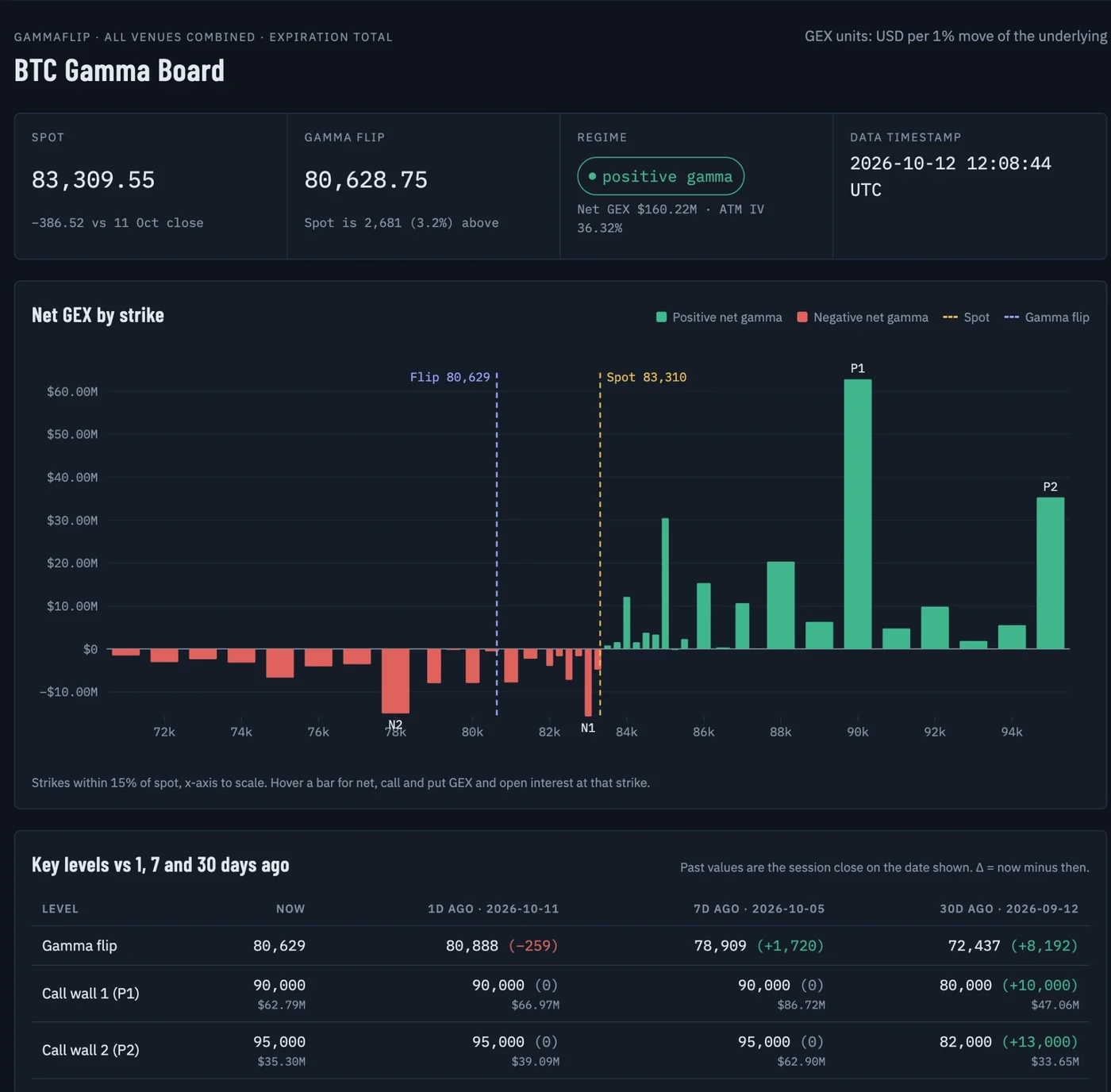
Open the interactive version to hover the bars. It is a snapshot from 12 October 2026, exactly as Claude produced it. The prompt is further down, ready to copy.
Before you start
- You need a GammaFlip account with API access. Every paid plan and the free trial include it.
- You see the markets in your plan. A Crypto plan answers about BTC, ETH, SOL, XRP and HYPE. A TradFi plan answers about US stocks, ETFs and indices. Complete has both.
- Requests share your API daily limit: 50 a day on trial, 500 a day on paid plans. Looking up symbols, expirations and your quota does not count.
Connect Claude
Works in Claude on the web and in the desktop app.
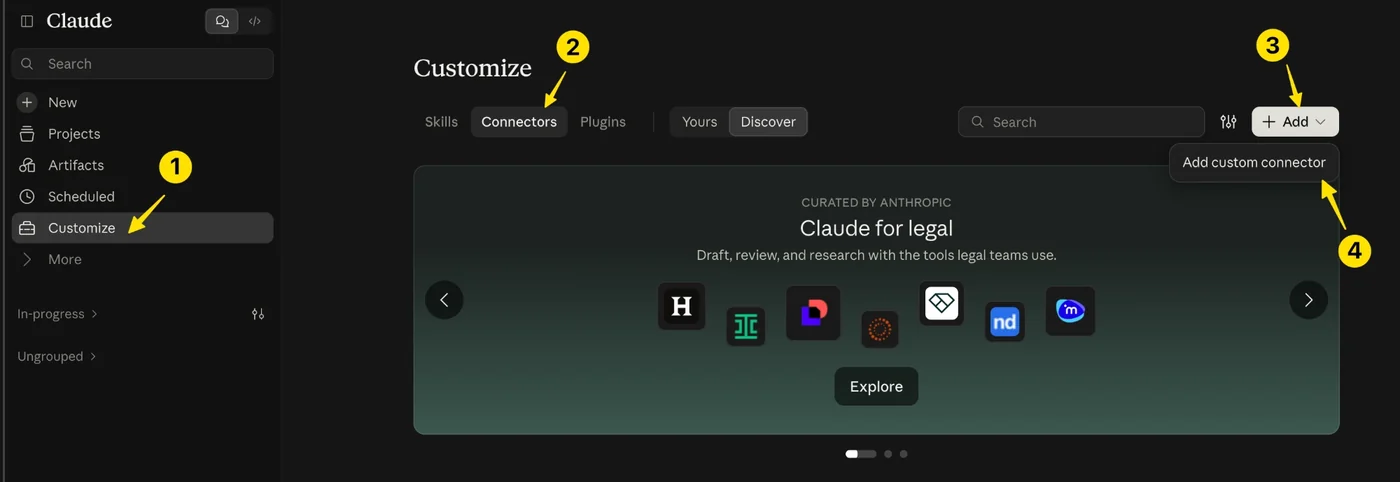
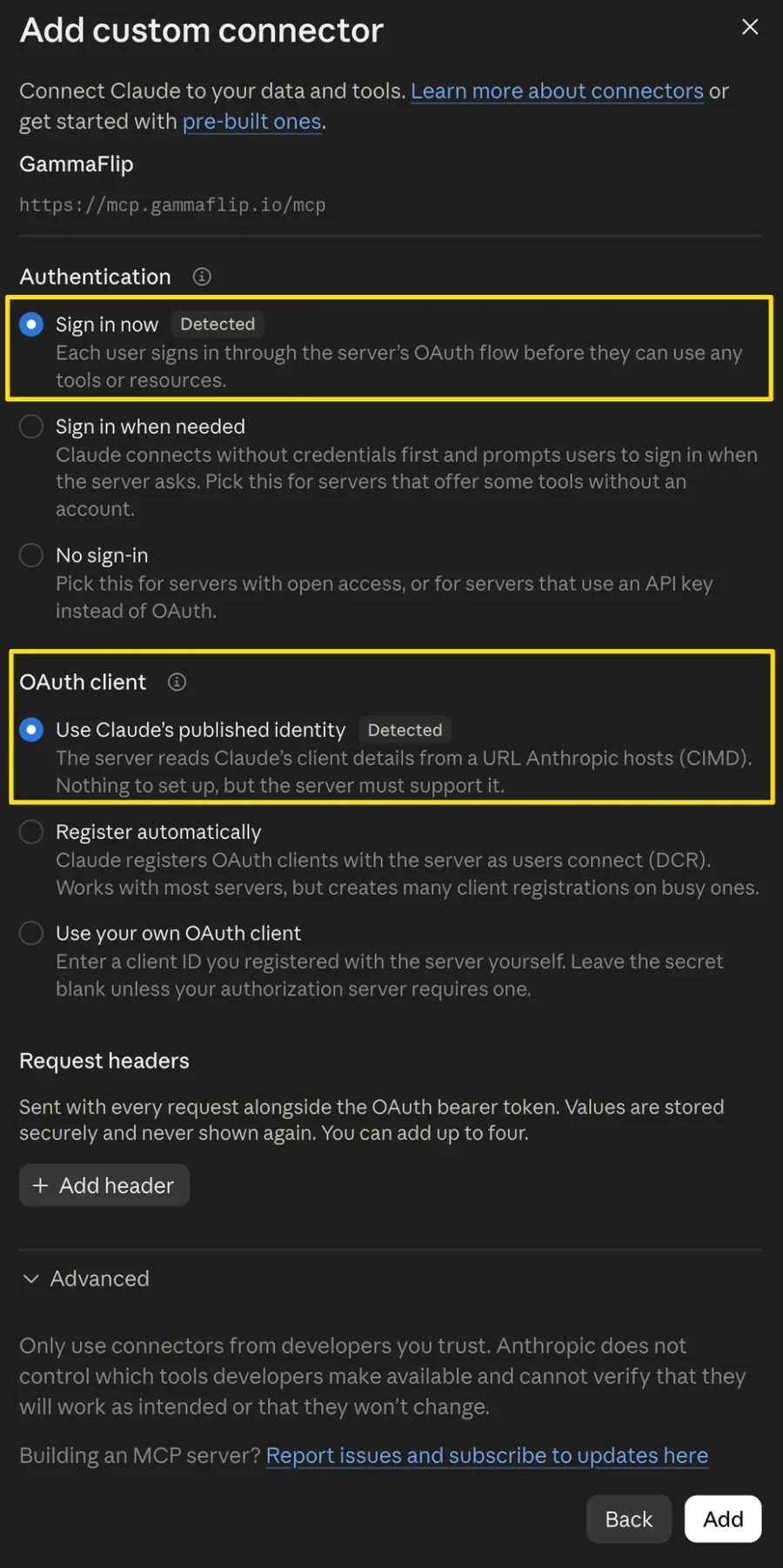
1. Open Customize → Connectors, click Add, then Add custom connector.
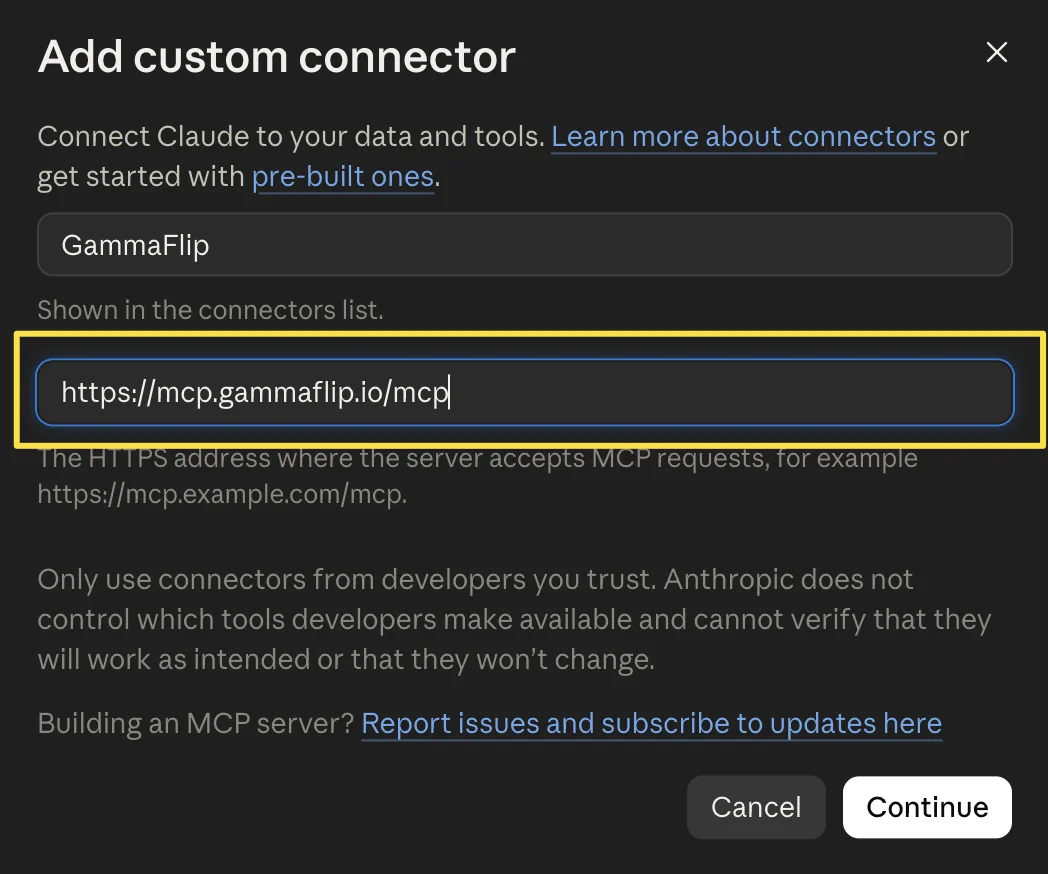
2. Name it GammaFlip and paste the server URL.
3. Keep the detected settings and click Add. Claude finds the sign-in method by itself: "Sign in now" and "Use Claude's published identity".
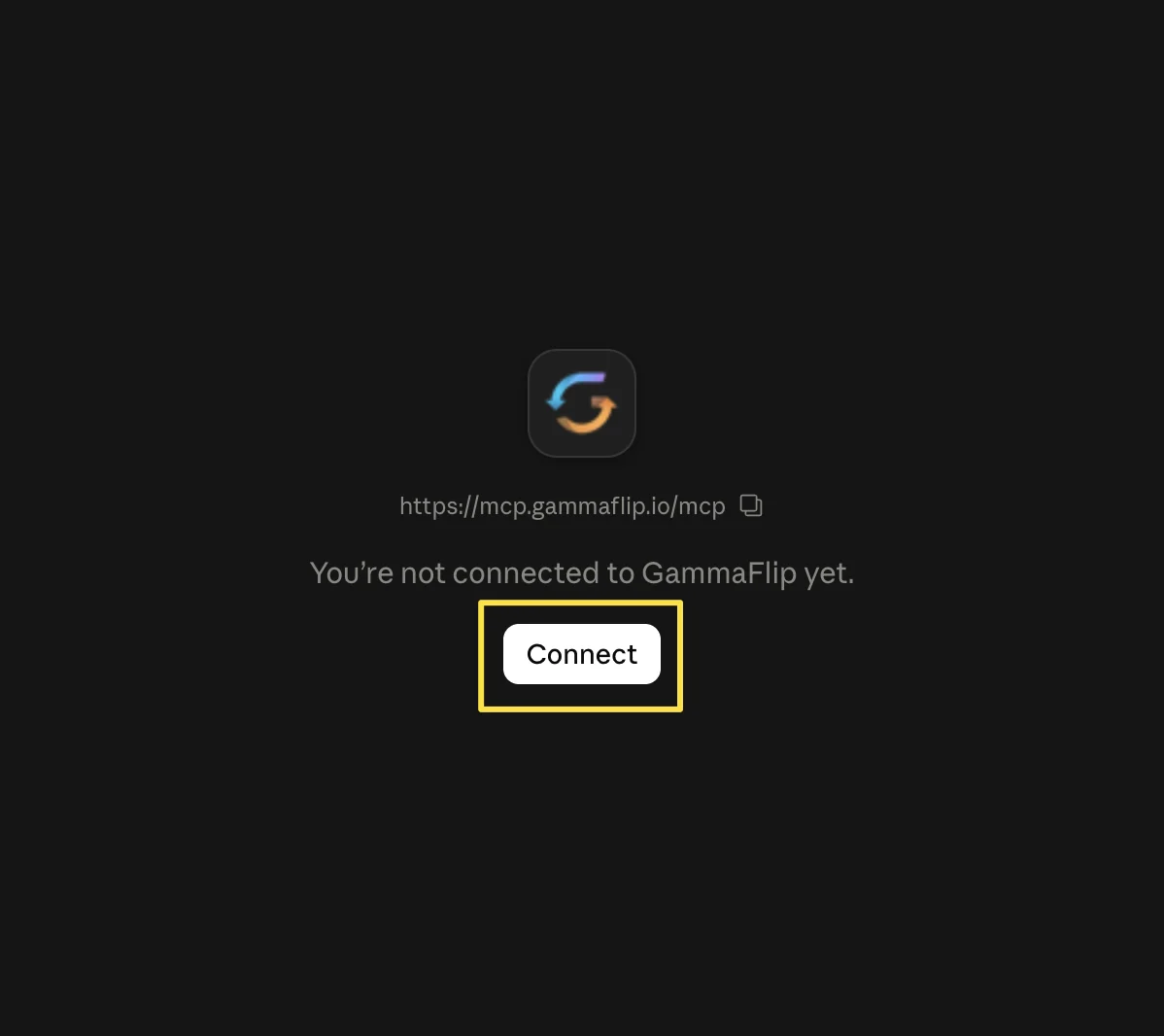
4. Click Connect.
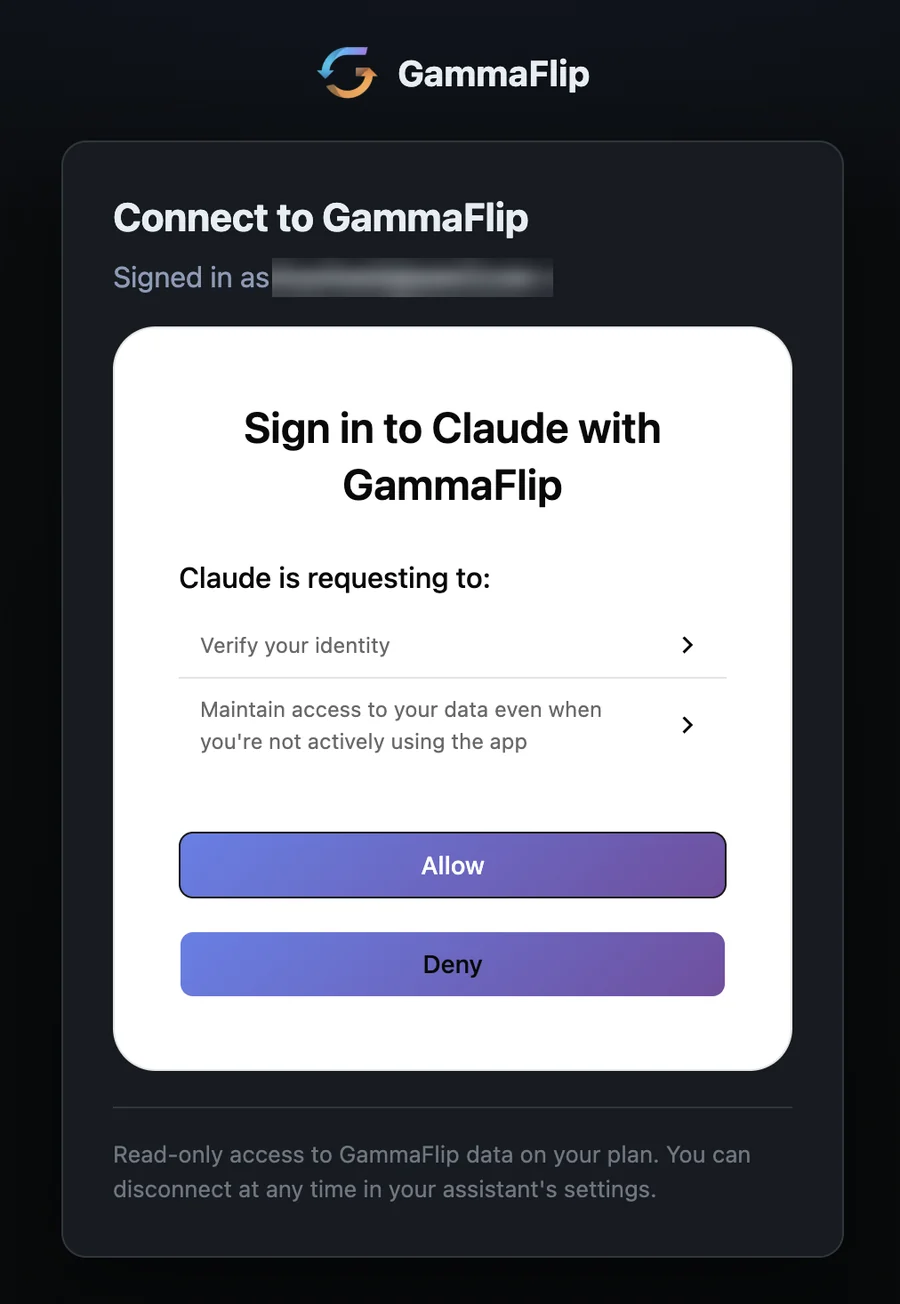
5. Sign in with your GammaFlip account and click Allow. The page is on gammaflip.io. If you are already signed in to GammaFlip in this browser, it recognises you.
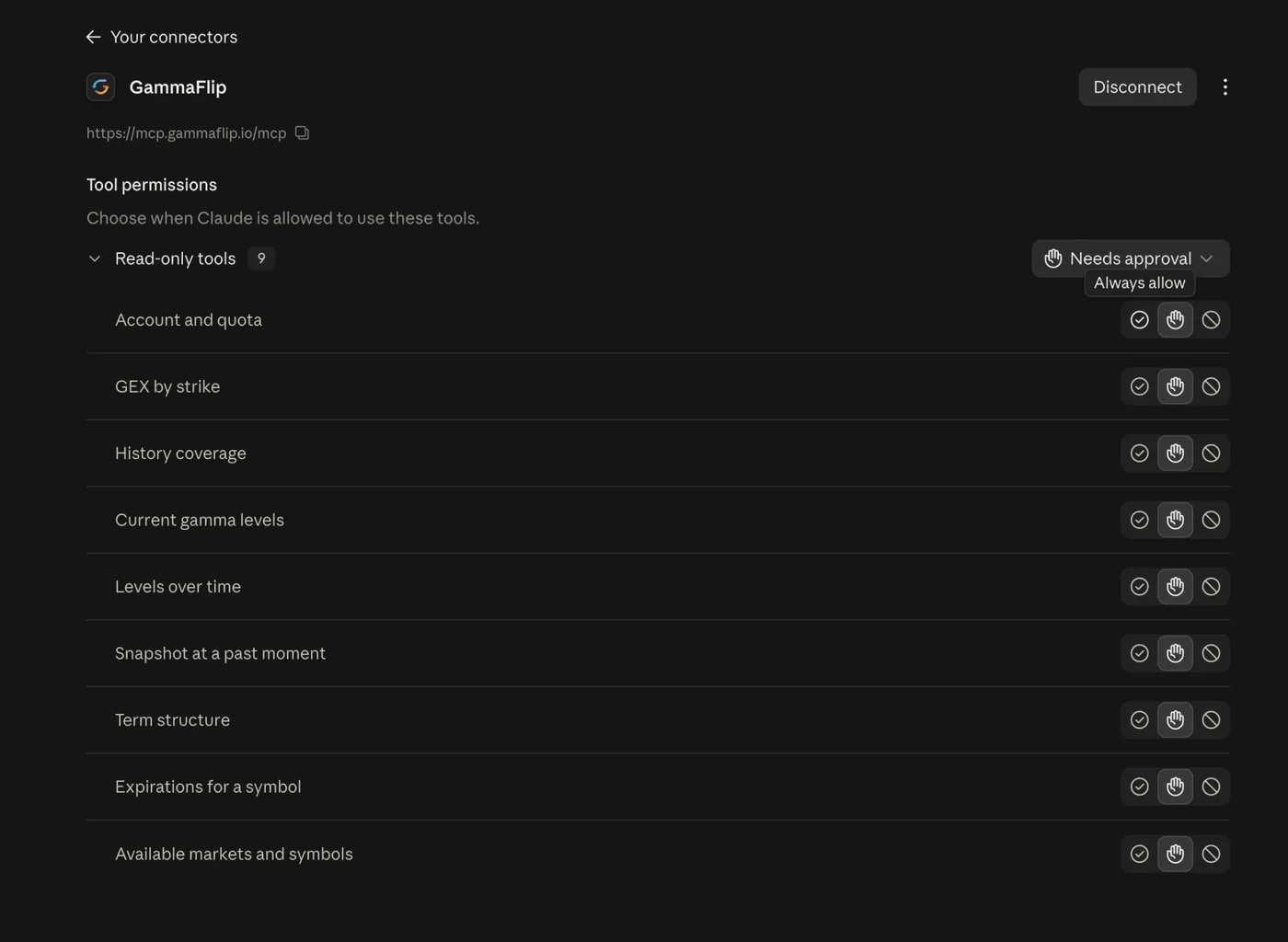
6. Done. Claude lists nine read-only tools. By default it asks before each call. Switch the group to Always allow if you don't want to confirm every time.
Claude Code
One command, then /mcp to sign in:
claude mcp add --transport http gammaflip https://mcp.gammaflip.io/mcp
Connect ChatGPT
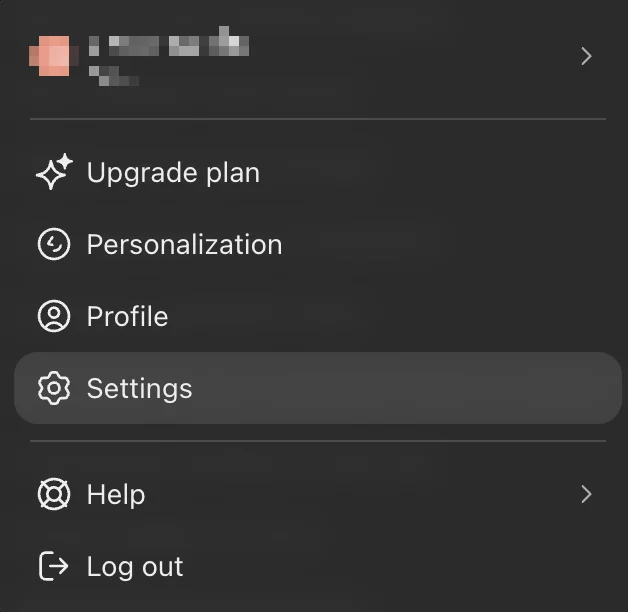
1. Open Settings from the profile menu.
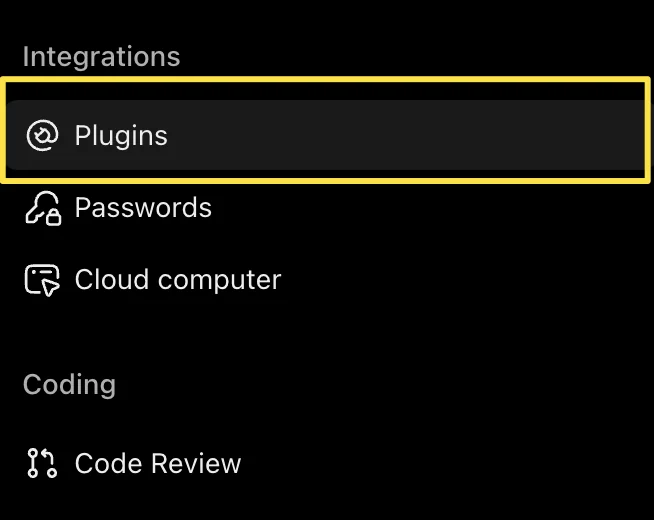
2. Under Integrations, open Plugins.
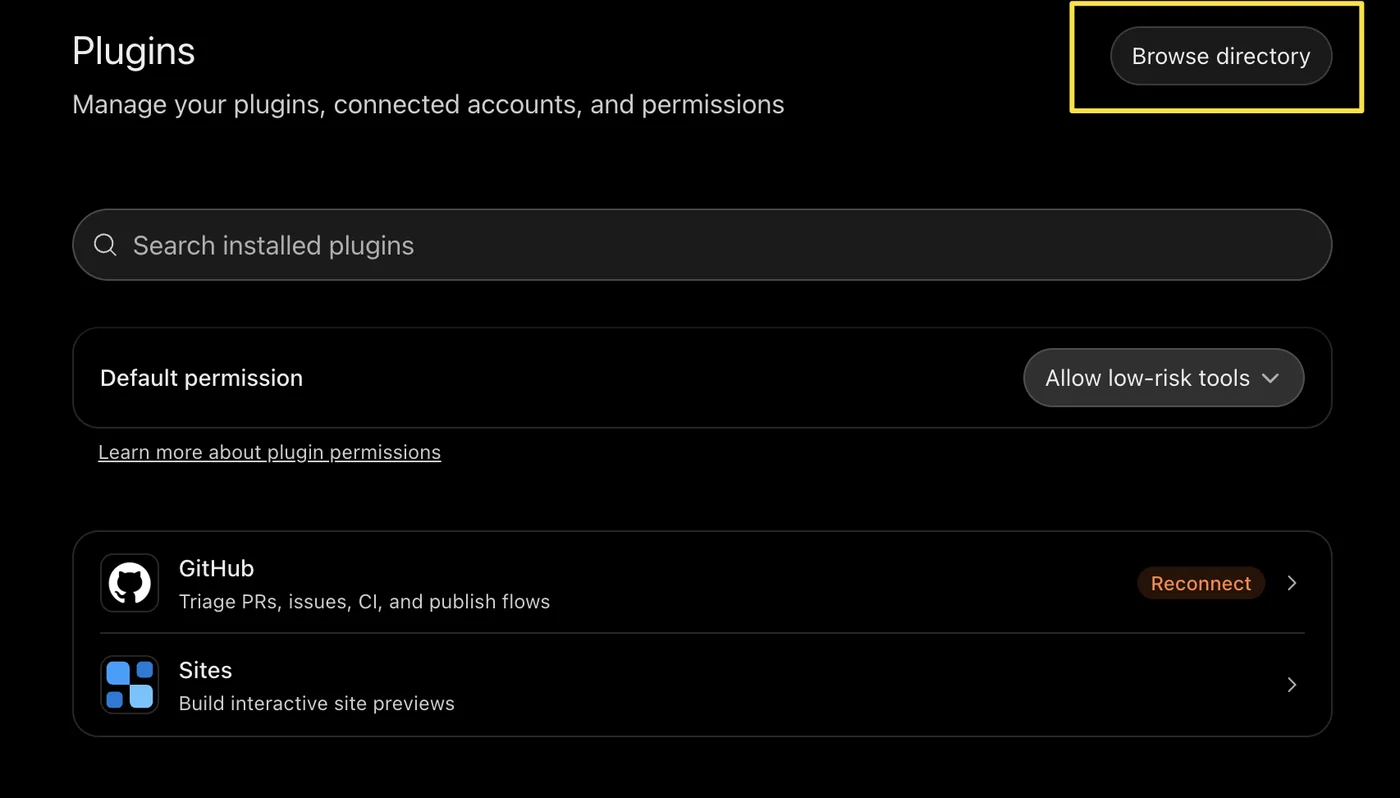
3. Click Browse directory.
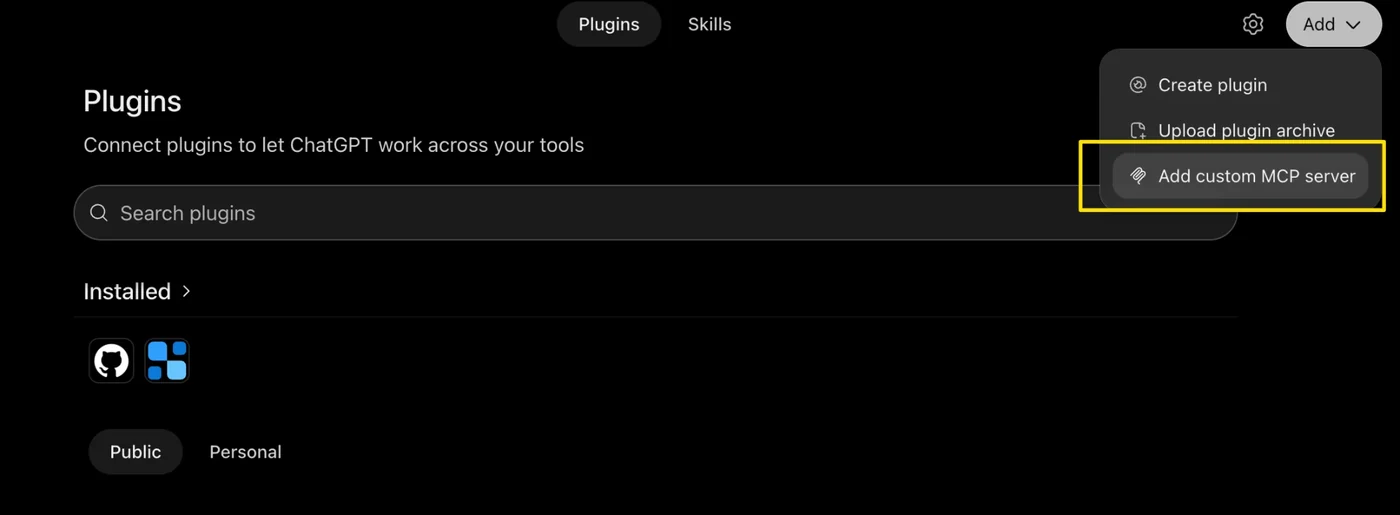
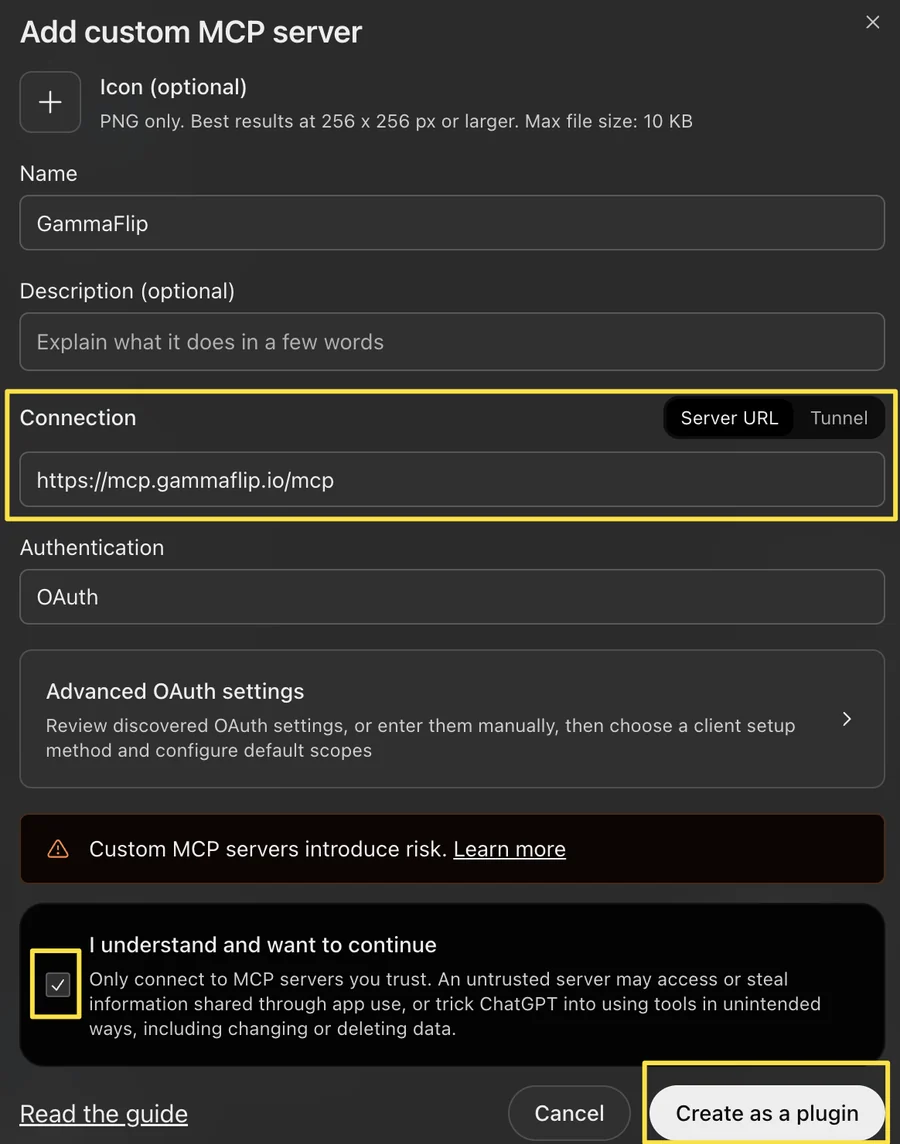
4. Click Add, then Add custom MCP server.
5. Fill in the form. Name: GammaFlip. Server URL: https://mcp.gammaflip.io/mcp. Authentication: OAuth. Tick "I understand and want to continue" and click Create as a plugin.
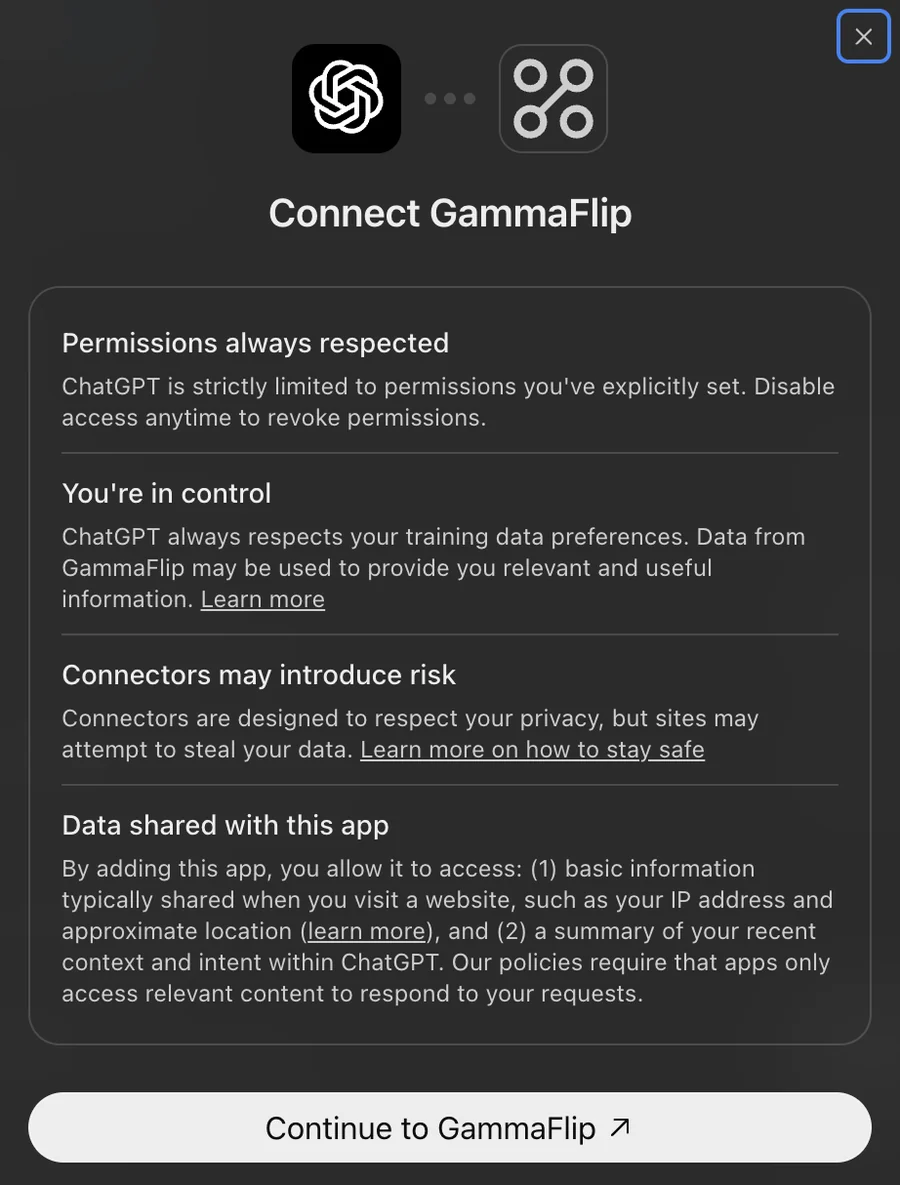
6. Click Continue to GammaFlip, sign in and click Allow.
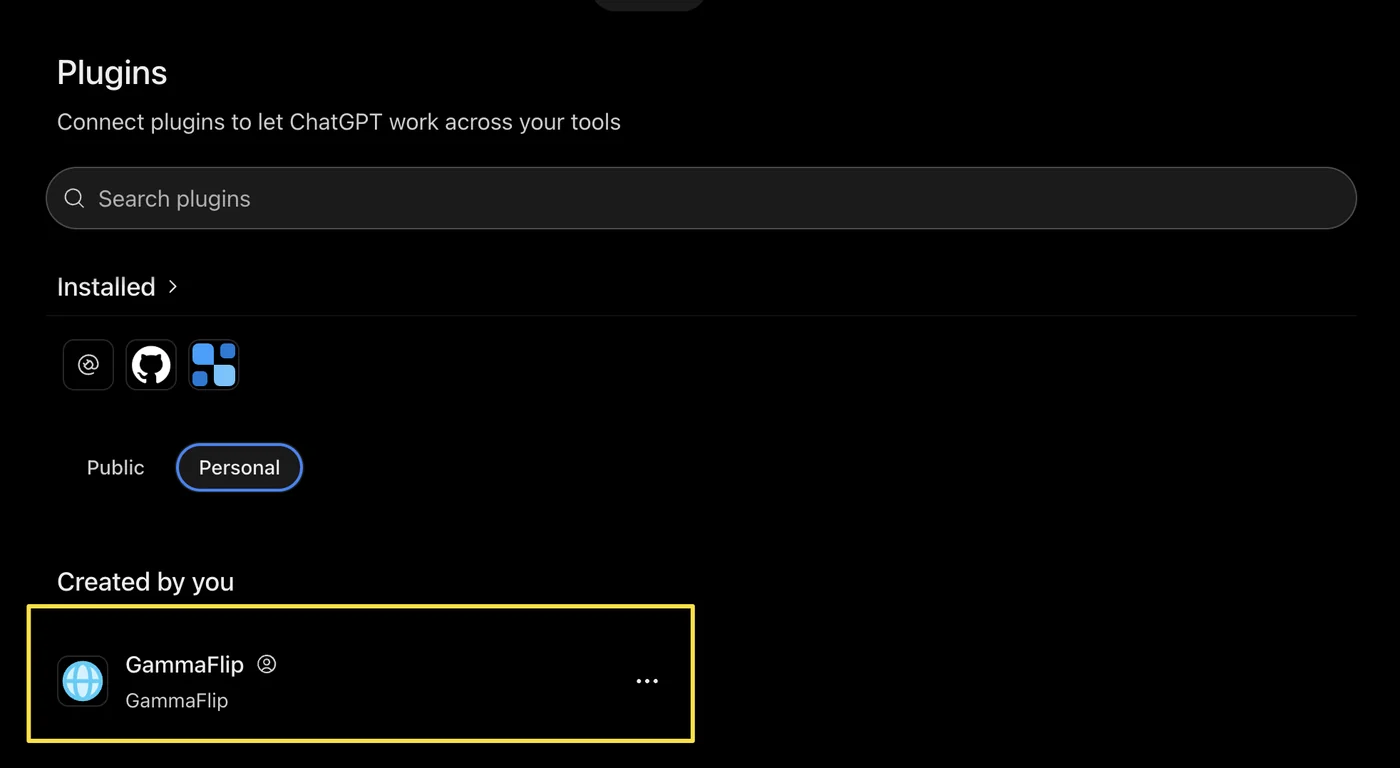
7. GammaFlip now appears under Personal → Created by you.
Menu names in both apps change from time to time. If a screen looks different, look for "custom connector" or "custom MCP server": the server URL is the only thing you need.
The prompt behind the board
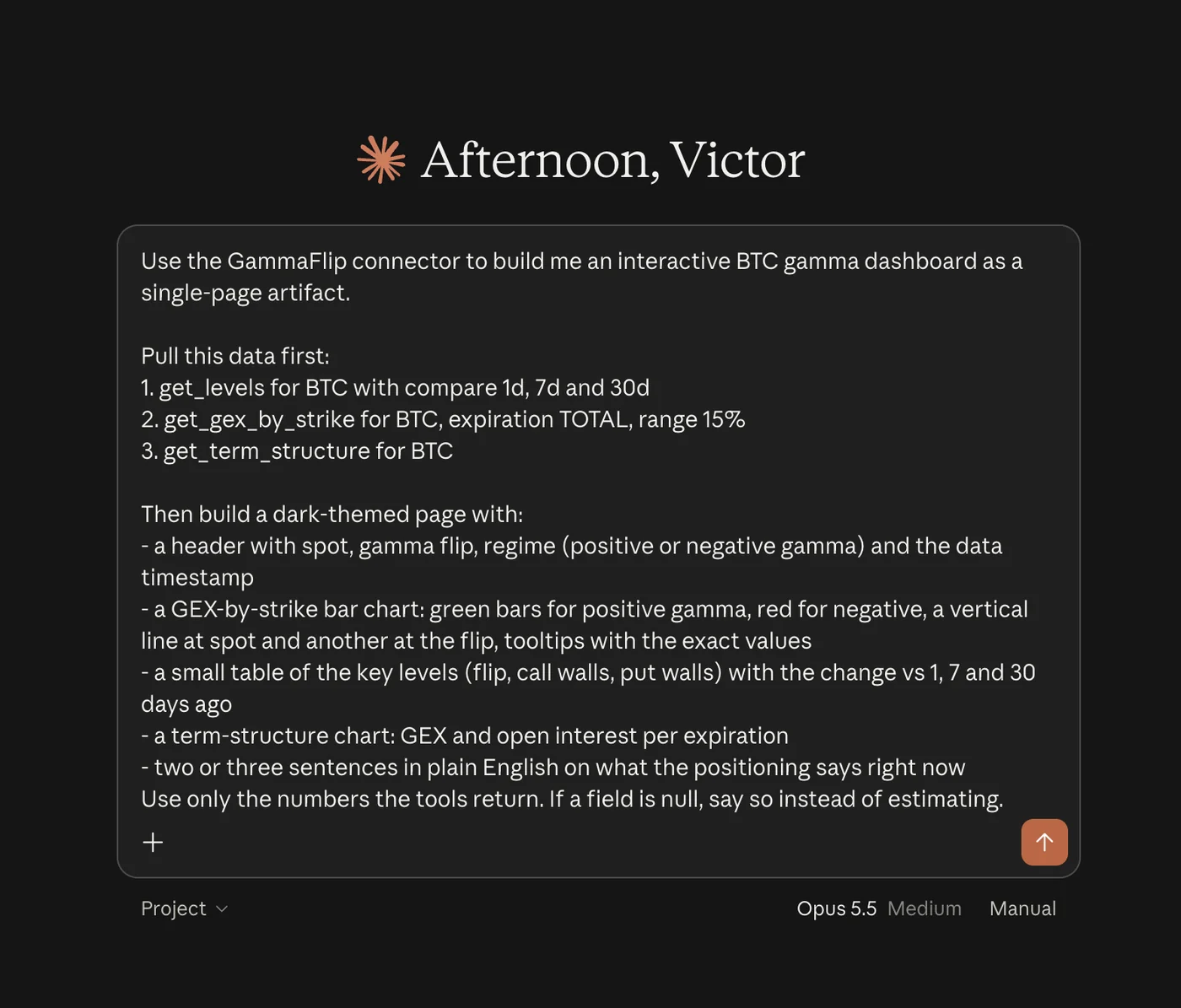
Paste this into a new chat after connecting:
Use the GammaFlip connector to build me an interactive BTC gamma dashboard as a single-page artifact.

Pull this data first:
1. get_levels for BTC with compare 1d, 7d and 30d
2. get_gex_by_strike for BTC, expiration TOTAL, range 15%
3. get_term_structure for BTC

Then build a dark-themed page with:
- a header with spot, gamma flip, regime (positive or negative gamma) and the data timestamp
- a GEX-by-strike bar chart: green bars for positive gamma, red for negative, a vertical line at spot and another at the flip, tooltips with the exact values
- a small table of the key levels (flip, call walls, put walls) with the change vs 1, 7 and 30 days ago
- a term-structure chart: GEX and open interest per expiration
- two or three sentences in plain English on what the positioning says right now

Use only the numbers the tools return. If a field is null, say so instead of estimating.
That costs three requests from your daily limit. Change BTC to ETH, SPY or QQQ and it works the same way.
More things to ask
You don't need to name the tools. Plain questions work:
- "Where is the gamma flip for BTC, and how has it moved in the last 7 days?"
- "Show GEX by strike for SPY for this Friday's expiration."
- "Compare the term structure of ETH on Deribit with all venues combined."
- "What did QQQ levels look like at yesterday's close?"
- "Plot BTC spot against the gamma flip for the last 30 days and mark the days it closed below the flip."
- "Compare BTC and SPY right now: distance to the flip, regime, nearest walls."
The last line of the board prompt is worth keeping in your own prompts: "Use only the numbers the tools return." It stops the assistant from filling a gap with a plausible number.
What the assistant can read
| Tool | What it returns | Counts against your limit |
|---|---|---|
| Current gamma levels | Flip, regime, call and put walls, net and absolute GEX; optionally the same levels 1, 7 or 30 days ago | Yes |
| GEX by strike | Net, call and put gamma and open interest per strike, for one expiration or all combined | Yes |
| Term structure | GEX and open interest per expiration | Yes |
| Levels over time | The levels as a time series: every 15 minutes, hourly, or one row per close | Yes |
| Snapshot at a past moment | The full per-strike picture at a past date and time | Yes |
| Available markets and symbols | What exists, and which markets your plan includes | No |
| Expirations for a symbol | Live expirations with days to expiry | No |
| History coverage | The date range with history for each symbol | No |
| Account and quota | Your plan, markets and requests left today | No |
Coverage: BTC, ETH, SOL, XRP and HYPE on Deribit, Bybit, OKX and Derive, combined or one venue at a time, plus 17 US stocks, ETFs and indices (SPX, SPY, QQQ, IWM, NVDA, TSLA and others). History starts on 1 May 2026.
What it cannot do
- It reads data. It does not trade, set alerts or change anything in your account. Every tool is read-only.
- No chart images from GammaFlip. The assistant gets numbers and draws its own charts, like the board above.
- No file downloads. Daily history files are available through the REST API.
- No Flow, heatmap or Monte Carlo yet. Those stay in the app for now.
- Max pain is empty for "all expirations combined". It only exists per expiration, so ask for a specific date.
- For US names, open interest updates once a day. Intraday gamma for stocks and indices is an estimate built on the latest open interest, the same as in the app.
- The assistant can still be wrong. The numbers come from us; the interpretation is the model's. Check the app before you act on it.
If something doesn't work
- "Does not have an active plan or trial": the account you signed in with has no API access. See plans.
- "The … market is not included in this account's plan": the symbol belongs to a market outside your plan.
- "Daily request limit … has been reached": it resets at midnight UTC.
- Signed in with the wrong account: disconnect the connector, sign out of gammaflip.io in that browser, and connect again.
- "Temporarily unavailable": try again in a minute. If it keeps happening, tell us.
To stop access at any time, disconnect GammaFlip in your assistant's settings.
Try it
Add https://mcp.gammaflip.io/mcp to Claude or ChatGPT and ask where the flip is. If you don't have an account yet, the free trial includes it.
Tell us what you built with it. The best prompts will go into the next post.
Ready to see GEX in action?
Try GammaFlip.io and experience professional-grade gamma exposure analysis
Open Dashboard