
What's New — May 2026

5 releases in May 2026.

A New Way to Read GEX#

Added

  • Chart UI Redesign: The chart picker is reorganized around four time-based questions — Now ⚡, Expiry 📅, History 🕰️, Forecast 🎲 — with secondary controls that adapt per category. A new Dealer Pulse rail on the left keeps three live cards visible across all charts: Flip Point, Hedging Pressure (Net GEX), Absolute GEX. Asset / exchange / expiry collapse into a single context-picker pill, and rare controls move into a per-chart ⚙ panel. Open the redesigned app.
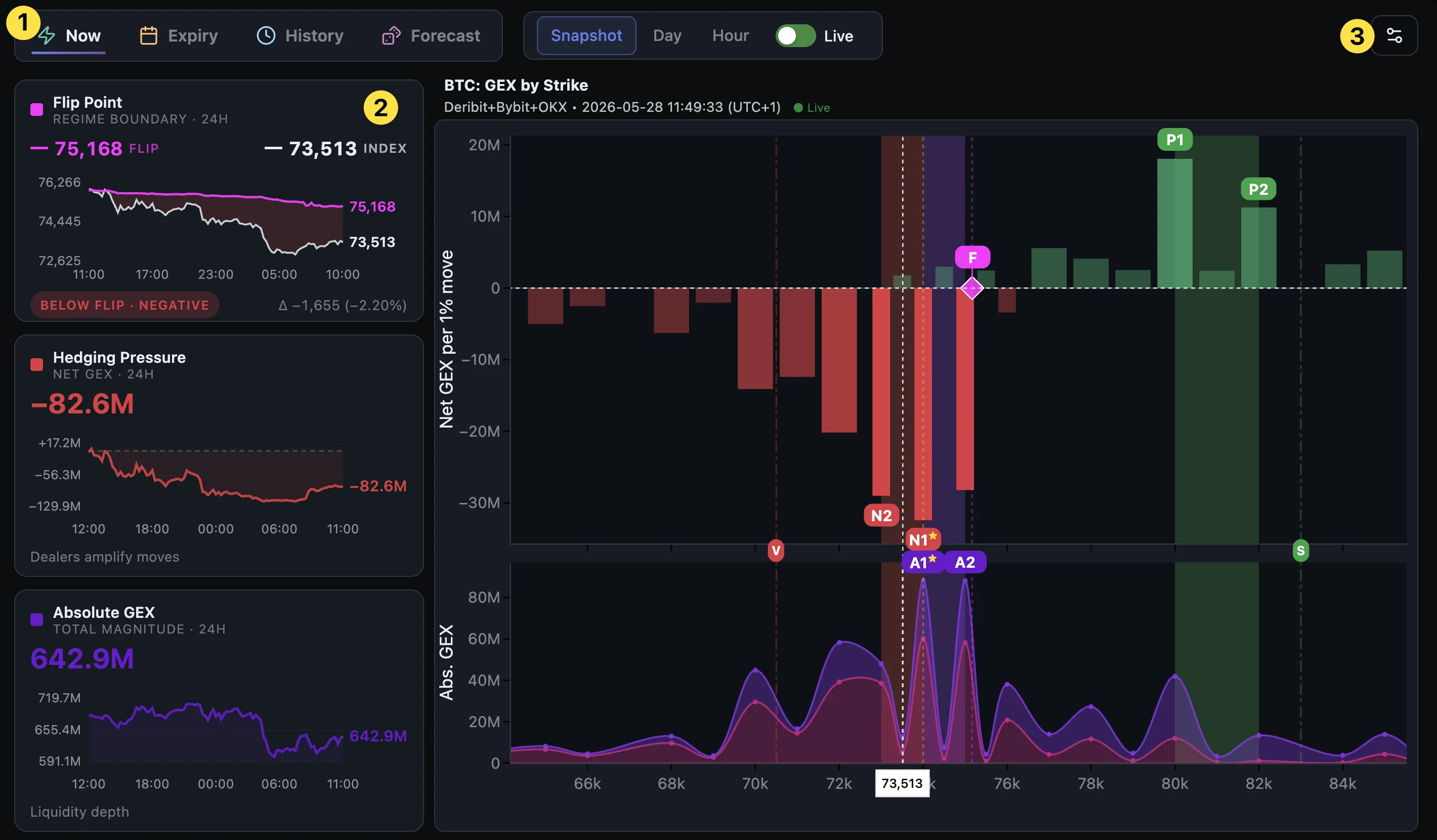
    The redesigned GEX dashboard — four category tabs, the Dealer Pulse rail, and a unified controls button

  • Blog: A New Way to Read GEX: The mental model behind the four categories and how to read the Dealer Pulse rail. Read: A New Way to Read GEX.
Monte Carlo Simulator#

Added

  • Monte Carlo Simulator: New chart that answers how likely is BTC to be above (or below) a price on a specific date? Runs 20,000 GEX-warped price paths to your chosen expiry; hover any price to read the chance of finishing above/below it plus the symmetric percentile cone. In-chart stats card shows p10 / p50 / p90, σ, and skew. Three intensity presets — Light / Normal / Strong — control how much the GEX surface bends paths. Open the Monte Carlo view.

  • Blog: Monte Carlo Simulator: How to read p10/p50/p90, why it differs from the ±1σ cone, and a worked BTC example. Read: Monte Carlo Simulator: Forecasting Where BTC Might Land by Expiry.

Flip Point on Heatmap#

Added

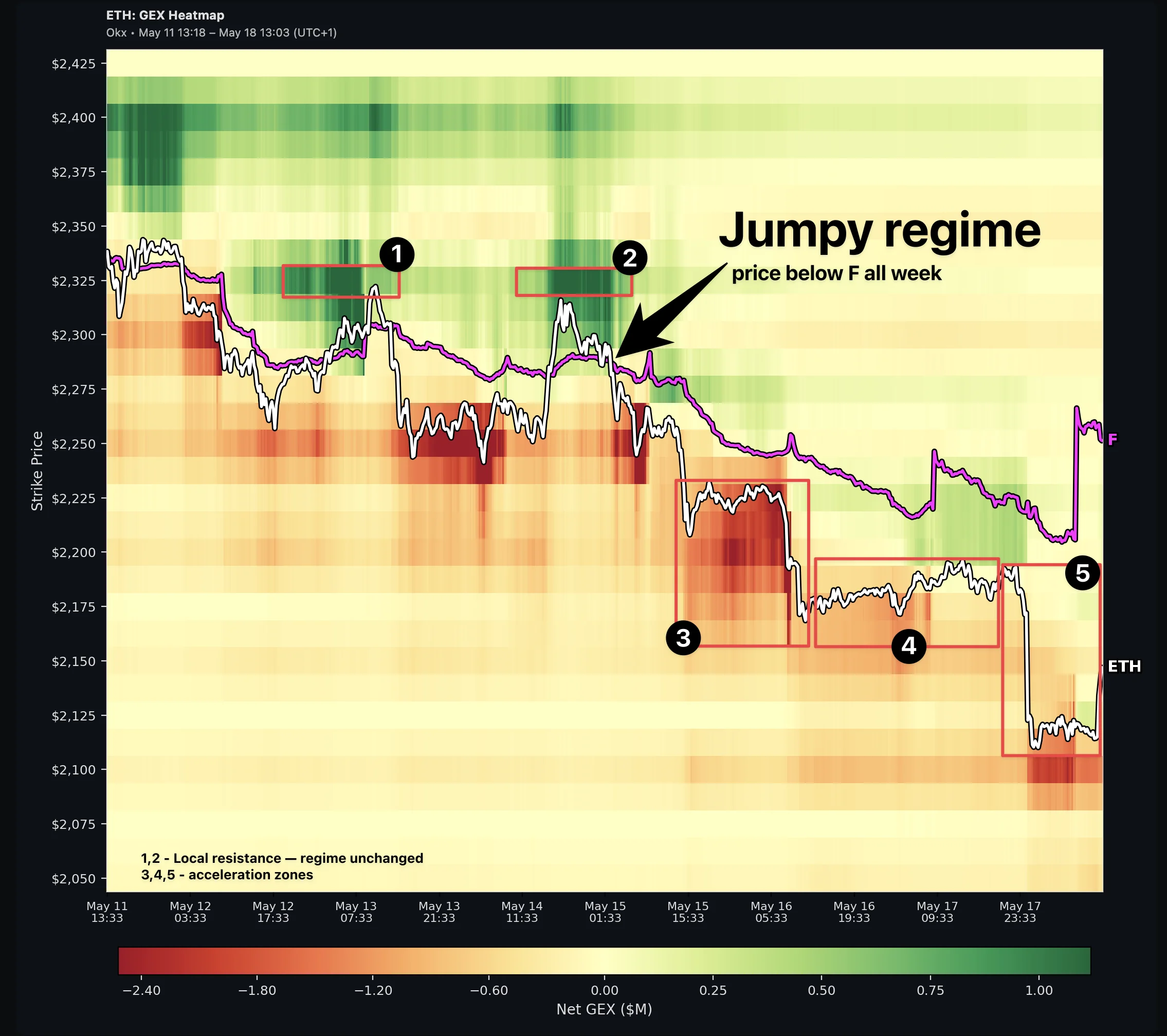
  • Flip Point line on Heatmap: The Heatmap now overlays the Gamma Flip Point (F) as a magenta line that tracks through time, dividing the chart into Jumpy (below F) and Sticky (above F) regimes. Uses the same F color as on every other GEX chart so the boundary lines up across views. Both overlays are labeled at the right edge — the price track shows the coin symbol (e.g. BTC), the flip track shows F — so the two can't be confused at a glance. Toggle the overlay via the new FLIP control in the chart toolbar (visible only in Heatmap view). Default on; preference persists. Try it on the Heatmap. Long-form walkthrough using ETH from May 11–18: Flip Point on the Heatmap: Reading Sticky vs Jumpy Behind the Colors.
    GEX Heatmap with Flip Point (F) overlay — magenta line divides Sticky regime above from Jumpy regime below

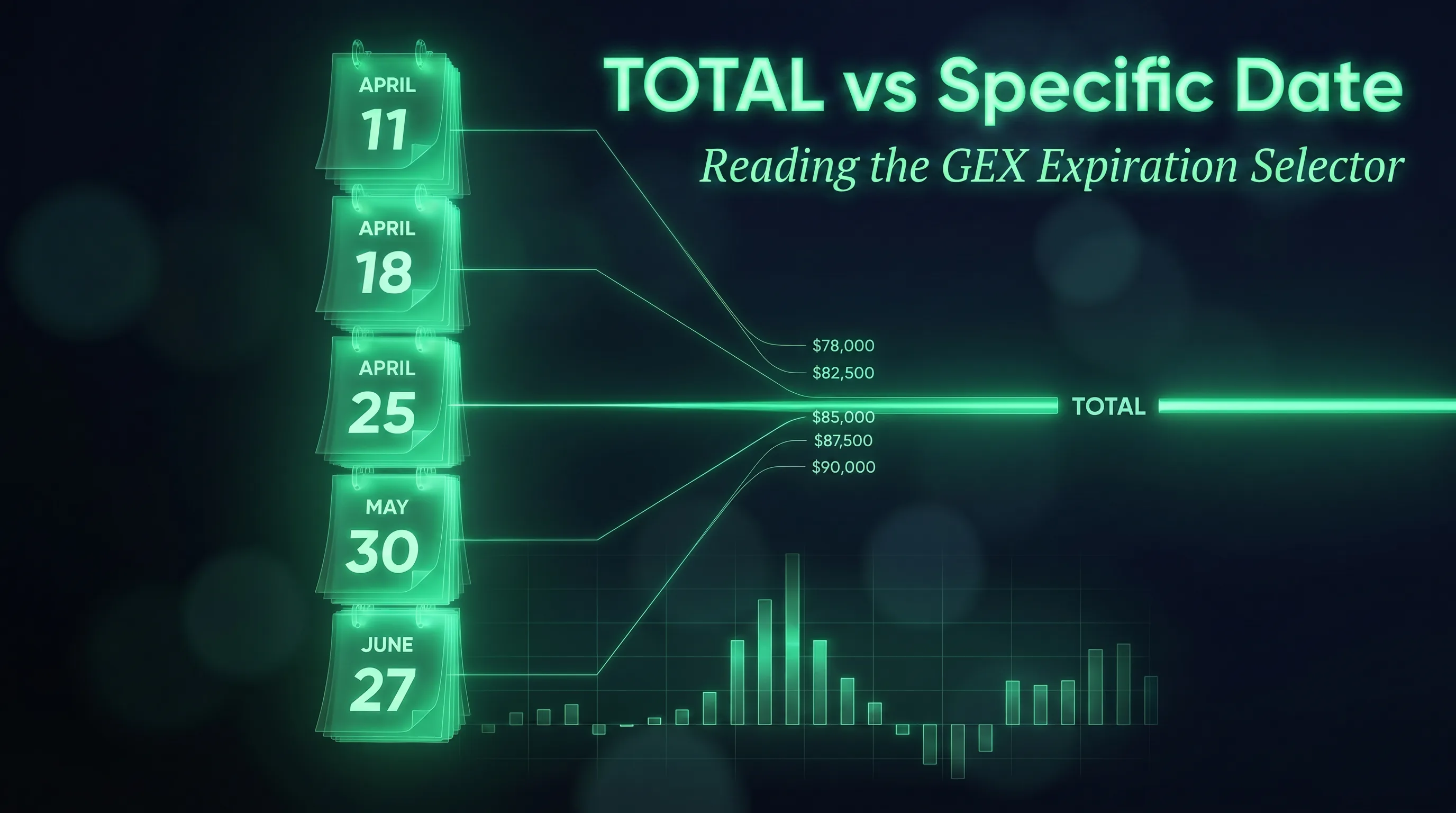
  • Blog: TOTAL vs Specific Date: A new long-form post on the GEX expiration selector — when TOTAL answers your question vs when a specific date is what you actually want, plus a one-minute diagnostic that tells you whether they're showing the same thing. Read: TOTAL vs Specific Date: Reading the GEX Expiration Selector.
    TOTAL vs Specific Date — Reading the GEX Expiration Selector. Calendar pages converging into a TOTAL line above a bar chart.

GEX Academy Track 2 — Options Curious#

Added

  • GEX Academy Track 2 — Options Curious: 8 lessons that explain the mechanism behind GEX — for traders who finished Track 1 and want the "why" behind the levels. Covers an options primer in 5 minutes (call/put/strike/expiration), why dealers must hedge, what gamma actually is (no formulas), reading the GEX-by-Strike chart end-to-end, the Flip Point as a fulcrum, positive vs negative gamma regimes, Max Pain in context (when it pins and when it lies), and a 5-step end-to-end read on BTC. Start at /academy/en/options-curious.

Academy in Brazilian Portuguese#

Added

  • Academy PT-BR: Track 1 (Perp Trader) is now available in Brazilian Portuguese. Use the EN | PT-BR toggle on any Academy page to switch.